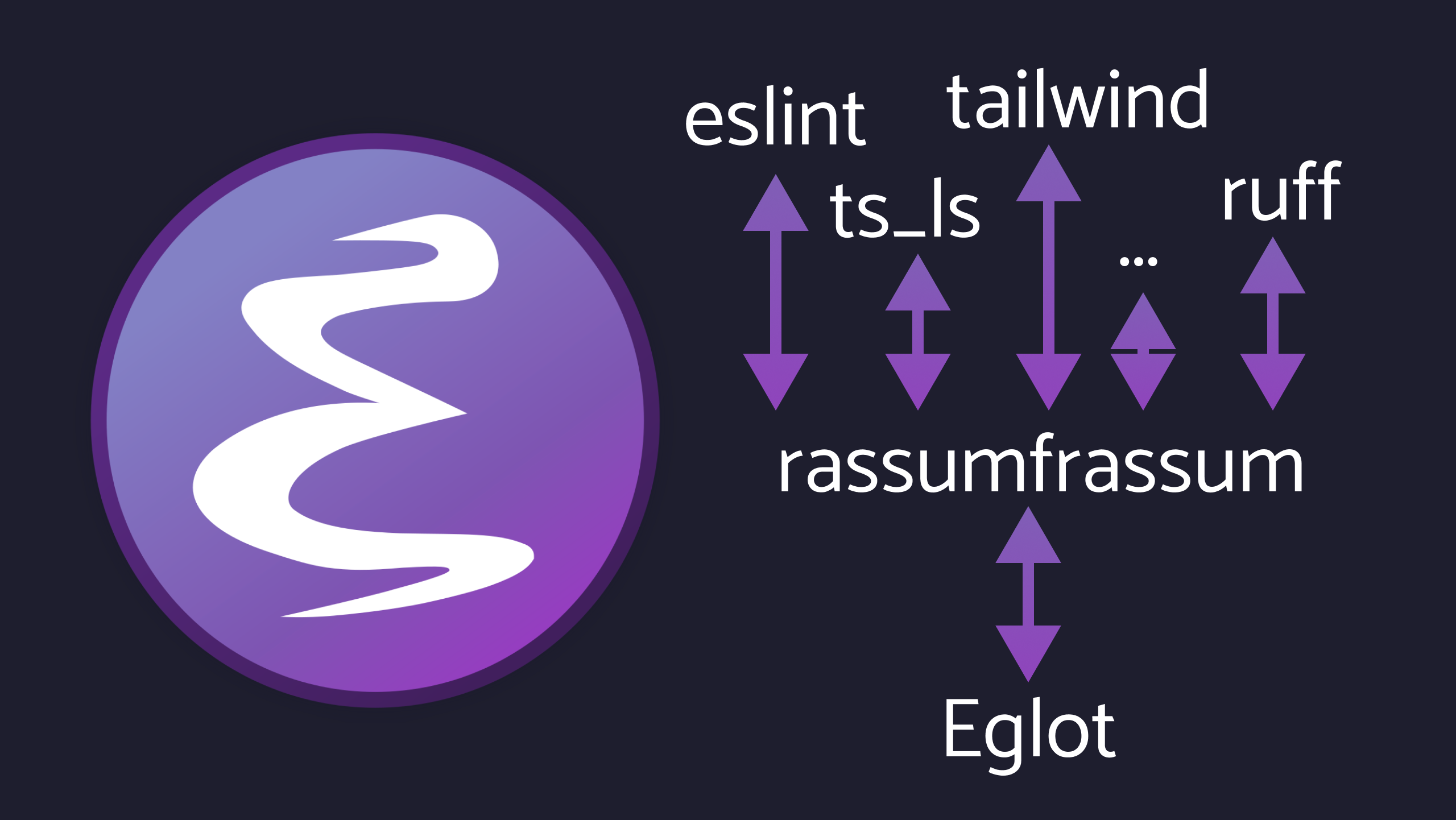
Eglot with multiple LSP servers per buffer using rassumfrassum

I'll start by admitting something upfront: for a long time, I was very vocal about not recommending Eglot if you were working with a modern web development stack, especially things like React, TypeScript, ESLint, Tailwind, Vue, etc. I even said so publicly in GitHub issues and discussions.
That said, I always liked Eglot.
More than liked, actually. Eglot always felt closer to Emacs
itself. So much so that it eventually became part of Emacs core. Its
design philosophy: minimalistic, protocol-driven, no magic UI layers
is very close to my way to tackle Emacs. In contrast, lsp-mode +
lsp-ui behaves much more like a full-blown IDE, and yes, nothing
wrong with that approach, you can use lsp-mode without the lsp-ui
package, but you know, if I could, I'd rather stay within Emacs
provided capabilities.
The real problem for me was simple: I couldn't use all the LSP servers I needed at the same time.
And in modern web development with Eglot, that's not optional anymore 😄.
Intro
It's been a few years now since LSP servers started absorbing responsibilities that once belonged exclusively to linters.
Linting today is faster, more precise, and far more interactive. Diagnostics, quick fixes, refactors, formatting, and even architectural hints are now part of the LSP ecosystem. Servers can recommend actions, explain problems, and react to changes in real time.
Because of that, there's less and less reason to:
• wrap a linter's API into a Flymake backend
• parse CLI output while developing
• reinvent glue code for every tool
The LSP protocol is well documented, standardized, and, at least in theory, every server speaks the same "language".
As time went on, something else became clear: some linters stopped being maintained as standalone tools, while new ones started life as LSP servers first. In some ecosystems, the only supported interface is LSP.
This imposed a brick wall for Eglot usage.
Eglot supports one server per buffer. That was fine when "one server did everything". But today, we often want:
• a language server for semantics and completion
• a linter server for diagnostics and code actions
• a (or some) framework-specific server(s) (Tailwind, Vue, Angular, etc.)
Solutions
For a long time, João (Eglot's maintainer) collected feedback around this limitation. Multiple issues, discussions, and experiments circled around the same idea:
"How do we support multiple LSP servers per buffer without turning Eglot into something it isn't?"
One important constraint was clear: Eglot itself should not be overhauled to manage multiple servers internally.
The proposed solution was elegant: an external multiplexer, a tool that looks like one LSP server to the client, but actually talks to many servers behind the scenes, merging and routing messages appropriately.
I'll admit that having designed hardware-level mux/demuxes in the past made me like this "software" idea.
One implementation which came from these discussions is lspx. I
tested it before, and while promising, it wasn't quite mature enough
for my daily workflow at the time.
So João did what he had been suggesting for some time.
He stepped in and built it himself.
What is Rassumfrassum
rassumfrassum is an LSP multiplexer, you can check its
repository here:
https://github.com/joaotavora/rassumfrassum/
From the client's perspective (Eglot, Neovim, anything), it behaves like a single stdio LSP server. Internally, it spawns and manages multiple real LSP servers, routing requests and merging responses.
You start it like this:
rass -- server-a [params-a] -- server-b [params-b] -- server-c [params-c]
Or, using presets, like:
rass python
Behind the scenes, Rassumfrassum:
• forwards requests to all relevant servers
• aggregates diagnostics
• merges code actions and completions
• handles timing, delays, and late responses
• optionally streams diagnostics incrementally
All of this is implemented in Python, with a clear separation between:
• JSON-RPC plumbing
• LSP semantics
• server-specific logic
This is also where Rassumfrassum introduces a non-standard but optional streaming diagnostics extension, which allows multiple diagnostic sources to coexist without stomping on each other.
See it in action from João's screencapture:

Bringing it to my React Web Dev workflow
My day job often involves a lot of React web development, from different repo sizes and ages, and this is where Rassumfrassum becomes a killer feature for me.
Let's take an example, a typical modern React stack needs, at minimum (as suggested by NextJS framework I'll present in a example below):
• typescript-language-server (types, navigation, refactors)
• ESLint (diagnostics, fixes)
• tailwindcss-language-server (class completion, validation)
Before this, with Eglot, you had to choose one.
To properly test this, I created a minimal but realistic example repository you can clone:
# **demo_react_ts_eslint_tailwind_app_for_lsp_debug**
git clone https://github.com/LionyxML/demo_react_ts_eslint_tailwind_app_for_lsp_debug
It's basically this so-called "default" modern React setup: TypeScript, ESLint, Tailwind.
To make this post not too long, I'm assuming the reader knows about
npm, pnpm and other tools related to the javascript world.
Basically you need to clone the repo and install the app with:
pnpm install
And make sure you have the needed LSP servers installed, I did it with:
pnpm install -g typescript-language-server typescript @tailwindcss/language-server eslint-lsp
Note: Yep, I know about vscode-eslint-language-server being
newer, but still I had problems with it, eslint-lsp worked, and I'm happy.
After fixing a broken Tailwind server installation on my side (user error 😄), this setup worked flawlessly with:
rass -- typescript-language-server --stdio \
	 -- eslint-lsp --stdio \
	 -- tailwindcss-language-server --stdio
You don't need to run this in your terminal, instead, visit your project file and fire up Eglot using:
C-u M-x eglot RET
rass -- typescript-language-server --stdio -- eslint-lsp --stdio -- tailwindcss-language-server --stdio RET
This project README provides you with directions on what is expected
from each LSP server to "see". The only relevant file is
app/page.tsx.
Well, I did all that and suddenly, everything was there:
• Flymake buffer listing diagnostics from all servers
• Code completion from both TypeScript and Tailwind
• Code actions
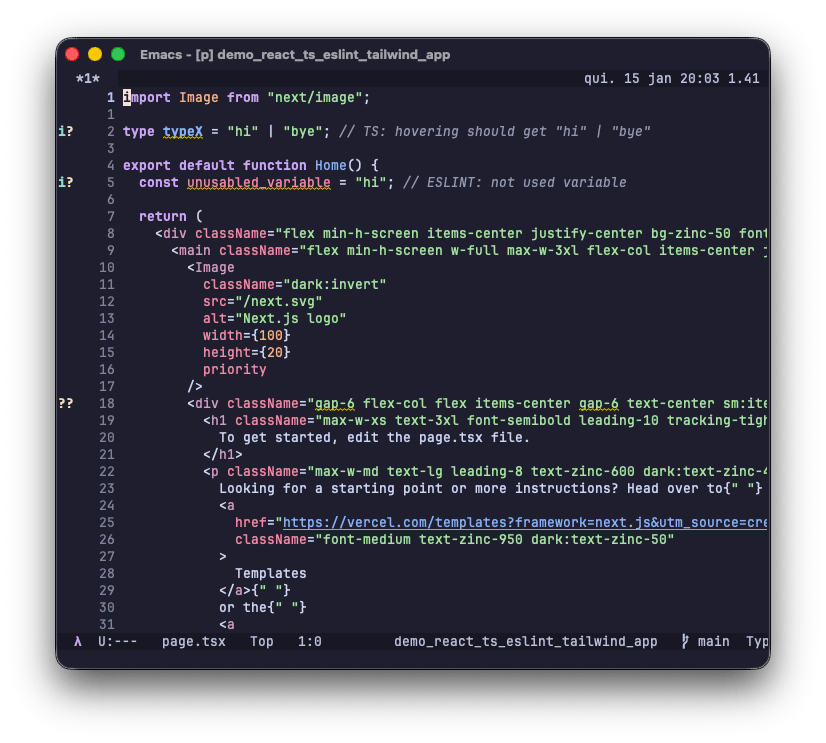
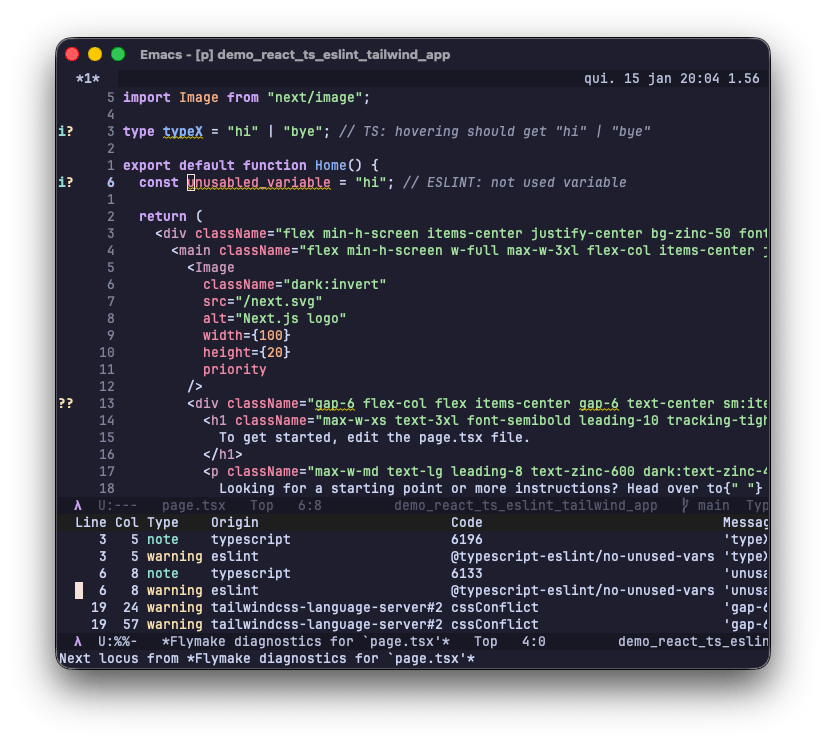
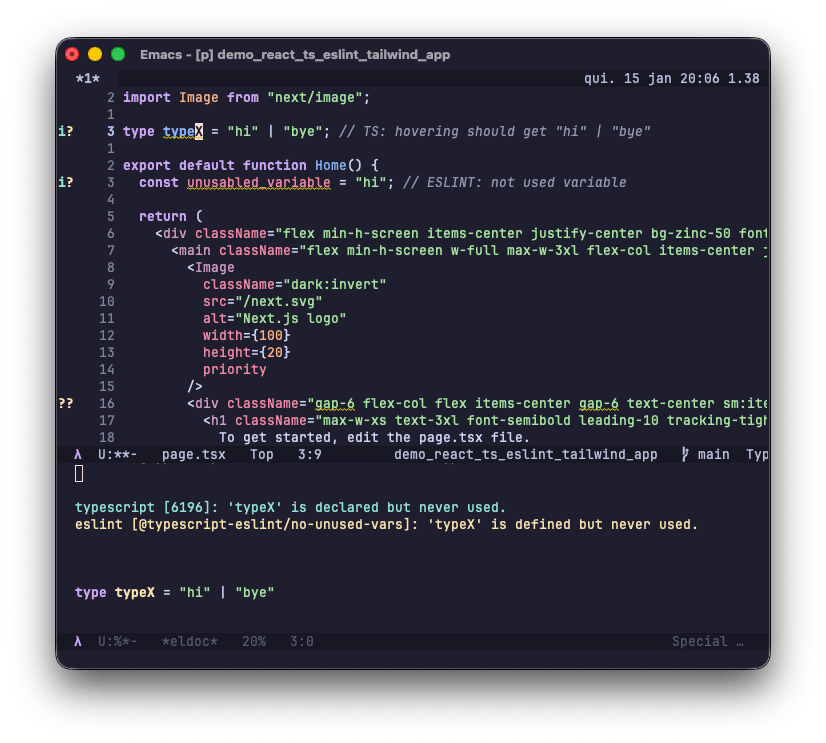
Fast, responsive, and clean. Here are some other screenshots:
• the example React code with Flymake marking diagnostics on margin
and in-buffer:
• Flymake buffer showing messages from typescript, eslint and tailwind:
• Eldoc showing typescript + eslint warnings while also providing type description:
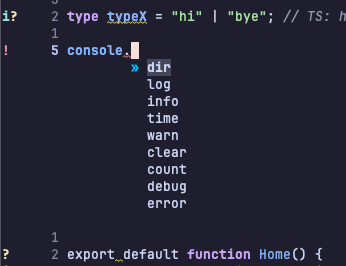
• Typescript completion:
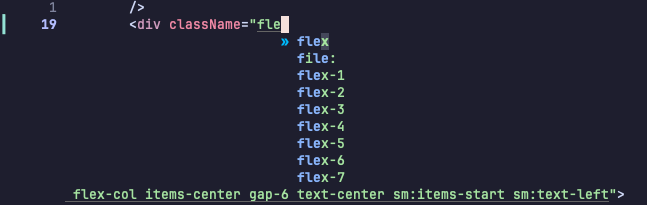
• Tailwind completion:
• Code actions:

It feels fast. It feels correct. And most importantly: it feels like Emacs, not an IDE pretending to be Emacs.
And of course, if everything works for you when firing up Eglot manually, you can add something like this to your config:
(with-eval-after-load 'eglot
  (add-to-list
   'eglot-server-programs
   '((tsx-ts-mode typescript-ts-mode)
	 . ("rass"
		"--"
		"typescript-language-server" "--stdio"
		"--"
		"eslint-lsp" "--stdio"
		"--"
		"tailwindcss-language-server" "--stdio"))))
A small debugging tip: you can check eglot connections with M-x eglot-list-connections RET and be sure it is running your custom
invocation command.
Conclusion
I want to sincerely thank João Távora for his continuous work for the Emacs community over the years.
Rassumfrassum solves a long-standing, real-world problem in a way that respects both:
• the LSP ecosystem
• Eglot's design philosophy
This is still a young project, and there will be bugs. That's expected. But the foundation is solid, the approach is elegant, and the impact is huge.
If you were, like me, holding back on Eglot for modern web development this changes everything.
Please try it, report issues, and support the project. This is not just a win for Eglot, it's a win for the entire LSP ecosystem.